What is TXT-Crypter?
A tool to encrypt text and share or store it as a URL.
Everything runs entirely in your browser.
Use cases
Perfect for anything you want to keep in your notes app but don't want stored as plain text —
passwords, auth codes, private notes.
Just paste the URL and unlock it with your passphrase whenever you need it.
For a walkthrough of managing passwords in Notion, check out the blog post below.

A guide to managing passwords in Notion using TXT-Crypter to keep them encrypted.
How it works
All encryption and decryption happens in your browser. Nothing is sent to our servers.
The encrypted data is embedded directly in the decryption URL as a parameter.
TXT-Crypter uses the same encryption approach as Evernote's text encryption.
Your passphrase is fed into PBKDF2 to derive an AES key.
A random salt runs through HMAC/SHA-256 for 100,000 iterations (configurable), producing a key and IV for AES-256 encryption.
| TXT-Crypter | Evernote | |
|---|---|---|
| Key derivation | PBKDF2 | PBKDF2 |
| Iterations | 100,000+ (configurable) | 50,000 |
| Encryption | AES – 256 bit | AES – 128 bit |
Security
Keep the decryption URL somewhere only you can access it.
Without the URL, there's nothing to attack. And even with the URL,
the data is useless without the passphrase.
Even with a non-obvious passphrase, it's worth thinking about brute-force resistance.
An 8-character passphrase using uppercase, lowercase, digits, and symbols has roughly 6 quadrillion possible combinations.
At 100,000 iterations, if an attacker can only try about 2 guesses per second (depending on hardware), brute-forcing would take around 100 million years.
Every extra character and every added iteration multiplies the difficulty exponentially.
For even stronger security, consider including non-Latin characters in your passphrase — Chinese, Arabic, or any script you're comfortable with works just fine. Brute-forcing non-Latin character sets is practically impossible.
Best practice: encrypt only the password — not the site name and username together.
Decrypt without us
If this service ever goes offline, you can still decrypt your data.
The decryption source code is open-sourced on GitHub.
A standalone tool to manually decrypt any data encrypted with TXT-Crypter.
Download
decrypt.html
and open it in your browser.
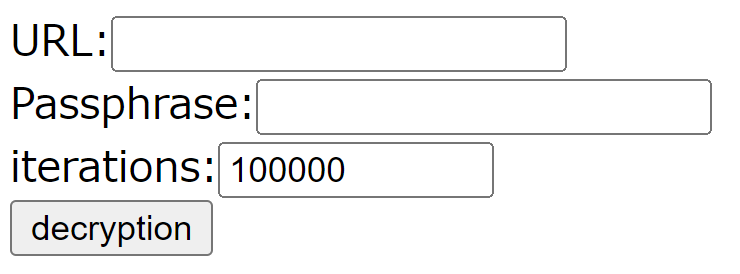
Paste in the decryption URL, enter your passphrase and iteration count, then click "decryption."